
Your LinkedIn Inbox is Chaos
Save hours every day by organising messages, creating custom lists and engaging with the right people
14-day free trial • No credit card required • Cancel anytime
Everything you need to master LinkedIn networking
Our powerful tools help you organize, engage, and grow your professional network efficiently.
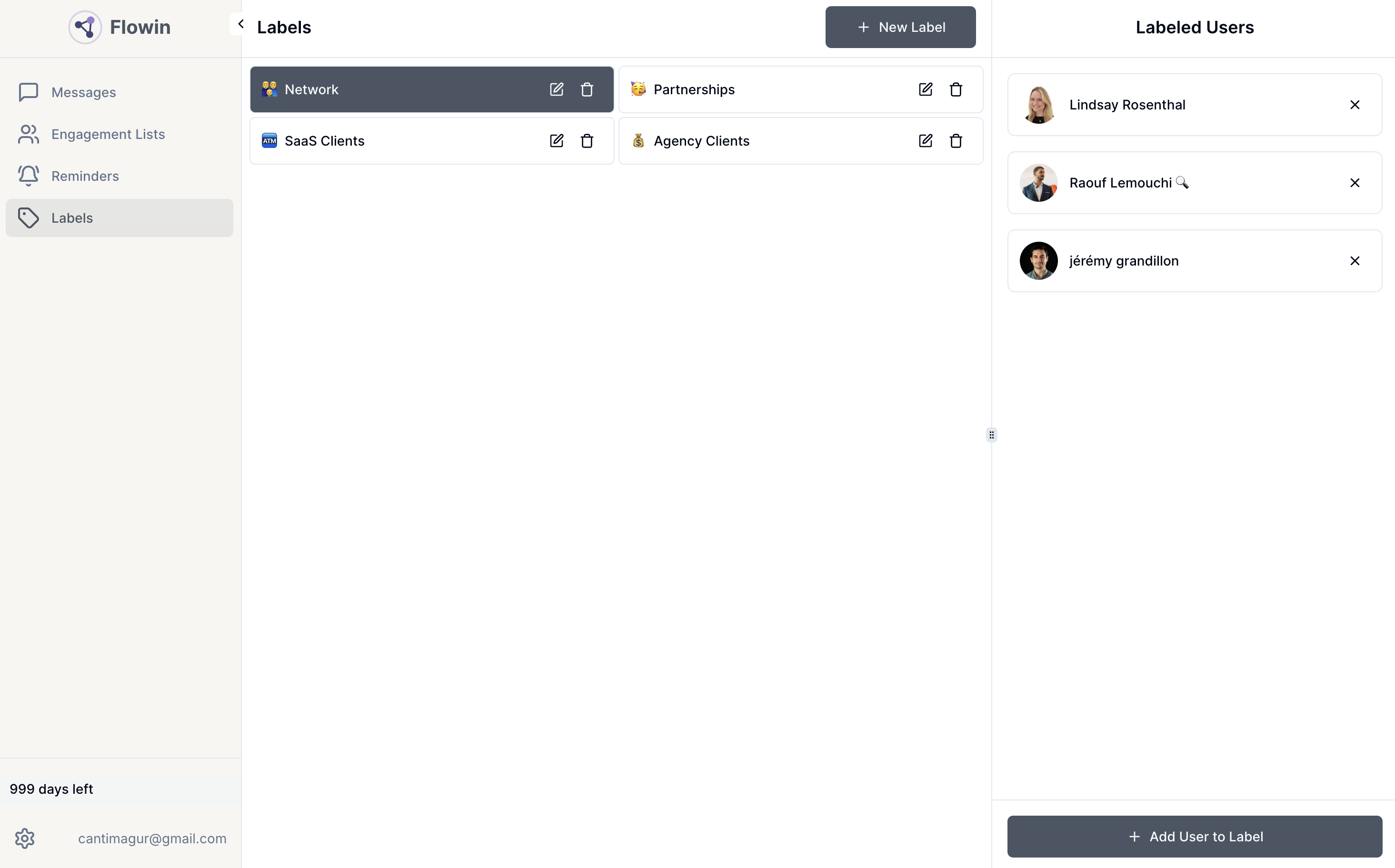
Smart User Labeling
Organize and filter your LinkedIn connections with custom labels
Smart Reminders
Never miss a follow-up with intelligent reminder system
Message Templates
Create and manage personalized messaging templates
Engagement Lists
Build targeted lists and track LinkedIn post engagement
Organize LinkedIn messages in split inboxes
Focus on what needs attention first. You can label messages manually. If you get a lot of LinkedIn messages, you will never miss a message this way.
- Prioritize important conversations
- Custom labels for different contact types
- Never miss important messages again
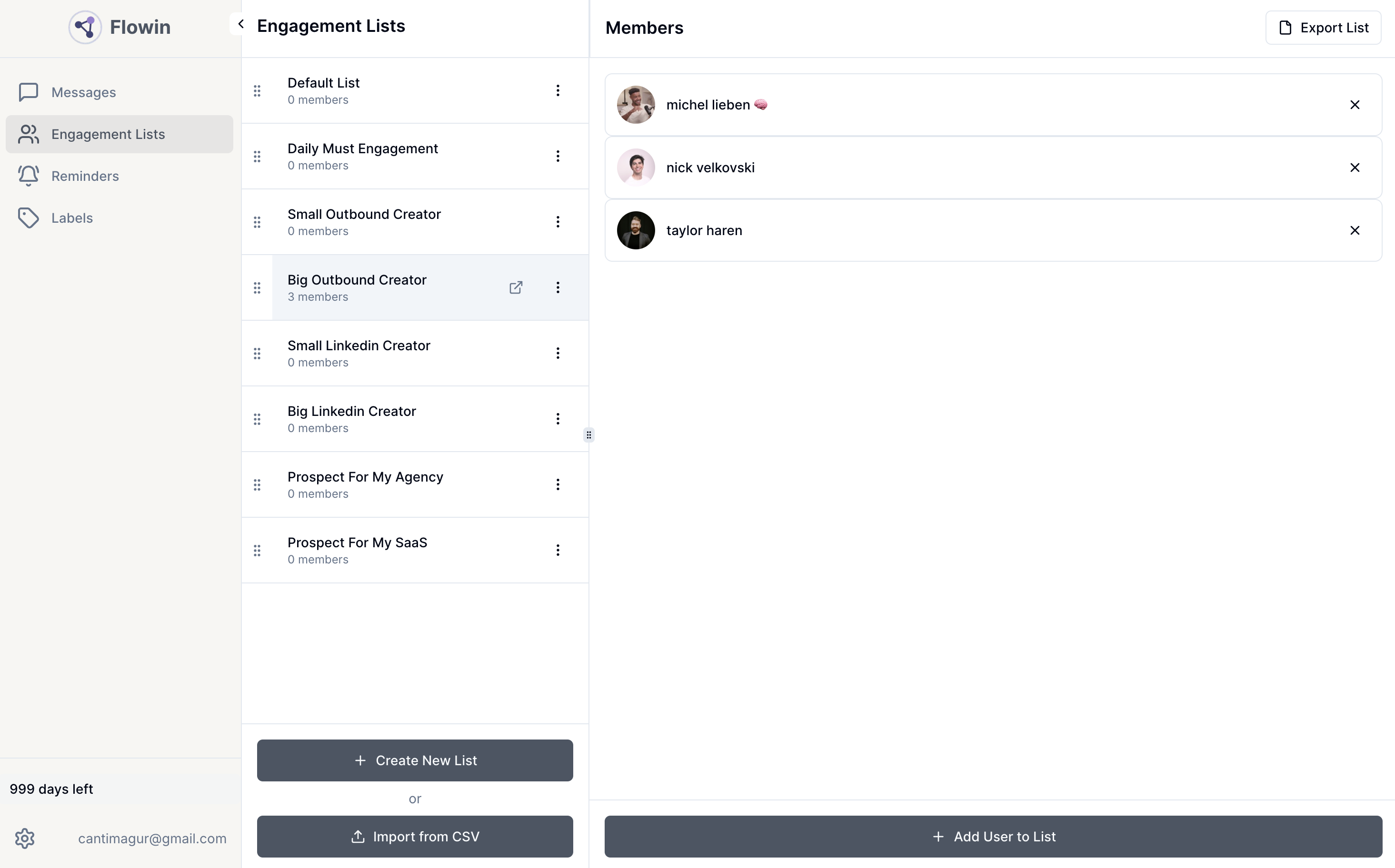
Create custom lists and engage directly with posts
With only chrome extension! You can create custom lists and skip straight to the posts that matter.
- Create targeted engagement lists
- Focus on high-value connections
- Save time by filtering out noise
Simple steps to master your LinkedIn messages with split inbox, labels, and a built-in follow-up system
Get started in minutes and see immediate improvements in your LinkedIn workflow
Sign Up
Create your account and set up your profile preferences
Organize
Create custom labels and lists for your LinkedIn connections
Engage
Start engaging with your network more effectively and track results
Simple, transparent pricing
One plan with everything you need. Start with our 14-day free trial.
Unlimited Plan
Everything you need to supercharge your LinkedIn networking
- Unlimited labeled messaging
- Unlimited engagement lists
- Unlimited reminders
- Unlimited message templates
- Email support
No credit card required • Cancel anytime
Frequently asked questions
Everything you need to know about Flowin
Do I need to connect my LinkedIn account?
No, you only need Flowin extension installed and linkedin opened on Chrome browser. This ensures your privacy and security.
How do I get started with Flowin?
Simply sign up for a free 14-day trial. No credit card required. You can start organizing your LinkedIn networking immediately.
Is my data secure with Flowin?
Yes, we take data security seriously. All your data is encrypted and stored securely. We never share your information with third parties.
Less chaos. More closed deals. Flowin starts here
Start your free trial today and transform how you manage LinkedIn connections.
14-day free trial • No credit card required • Cancel anytime